- map
const testArr = [1, 2, 3];


testArr.map(function(item){
	return item *2  // 여기서 item은 testArr에 할당 된 [1,2,3] 을 말함.
 });

 // [2, 4, 6] 출력
map => 원래 데이터를 가공하여 출력하는 방법
- map 실습
  const App = () => {

    const testArr = ['감자', '고구마', '오이', '가지', '옥수수'];

    return (
      <div className="app-style">
        {
          testArr.map(function(item){ // 감자,고구마,오이,가지,옥수수 5개 다 리턴
            return <div className="component-style">{item}</div>
          })
        }

      </div>
    );
  };
| 출력결과 : | 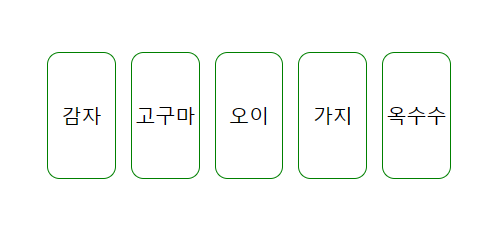 |
- filter
조건을 만족하는 친구만 filtering을 걸어서 return을 함.
testArr.filter(function(item){
	return item < 3
});

// [1, 2]     -> 3 미만인것만 출력됨!
filter 실습
  const App = () => {

    const testArr = ['감자', '고구마', '오이', '가지', '옥수수'];

    return (
      <div className="app-style">

        {testArr.filter(function (item) { // filter를 쓰고 오이 빼고 나머지 출력
          return item !== "오이";
        })
          .map(function (item) {
            return <div className="component-style">{item}</div>
          })}

      </div>
    );
};| 출력결과 : 오이 빼고 나머지 출력됨. | 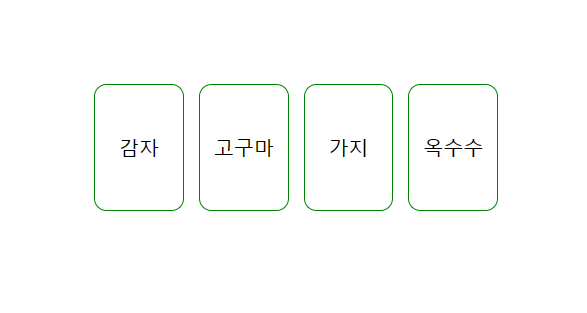 |
'React' 카테고리의 다른 글
| Styled Components / Css-in-JS (1) | 2023.04.29 |
|---|---|
| React - state (0) | 2023.04.22 |
| React - Props (0) | 2023.04.22 |
| React JSX ( JavaScript + XML ) 연습 (0) | 2023.04.22 |
| React - 보모,자식 컴포넌트 (0) | 2023.04.22 |


